noa packs a full node editor into a browser tab: geometry, attributes, materials, real-time rendering. Built for 3D modelers and tech artists; there's nothing to install.
or try a published asset, no account needed →
A quick tour in six stops, with real captures. Everything you see here runs in the page.
Primitives, deformers, booleans, curves, SDF volumes, scattering, instances: every step is a node, and every asset is a procedure you can replay. Tweak something upstream and the rest catches up.
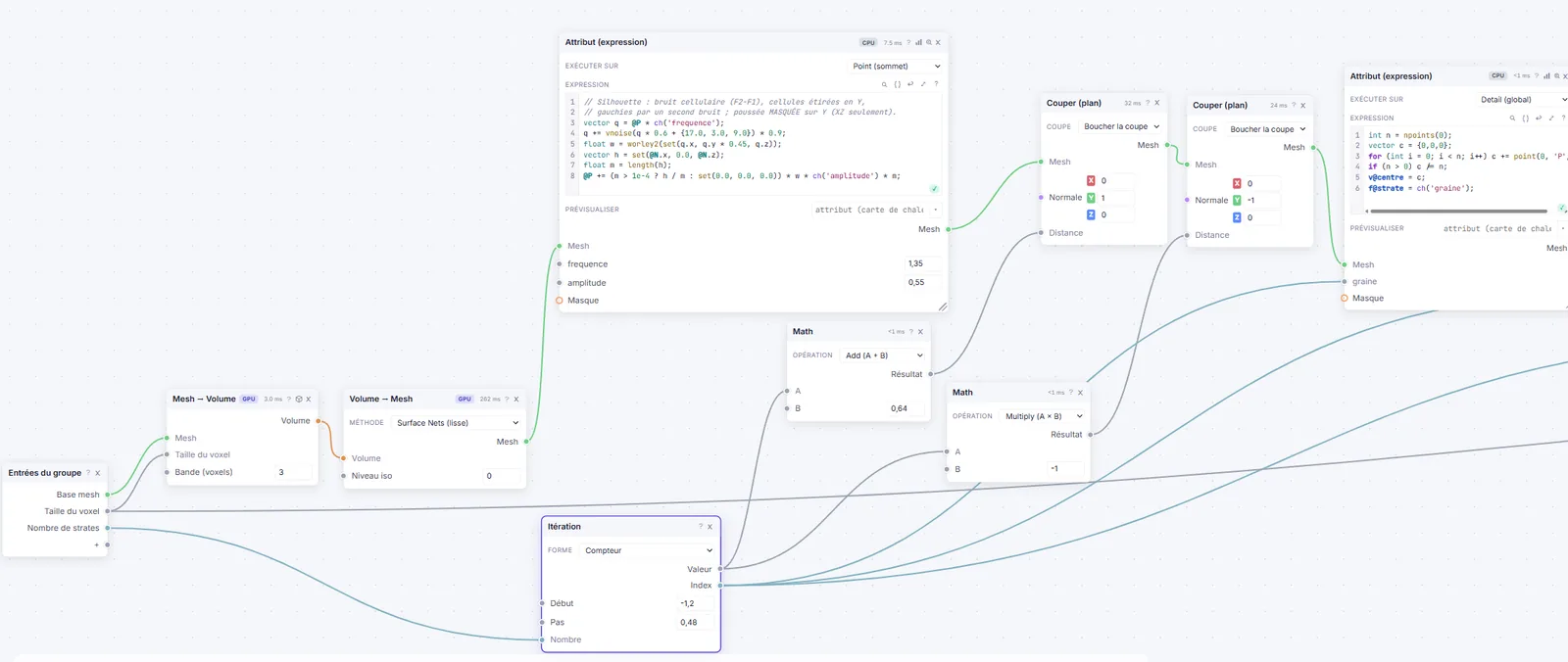
Typed attributes on points, corners, faces or detail, with heat maps one click away. The expression language handles loops, noises, neighborhoods, dictionaries and strings; the same program runs per vertex, per voxel or per texel.
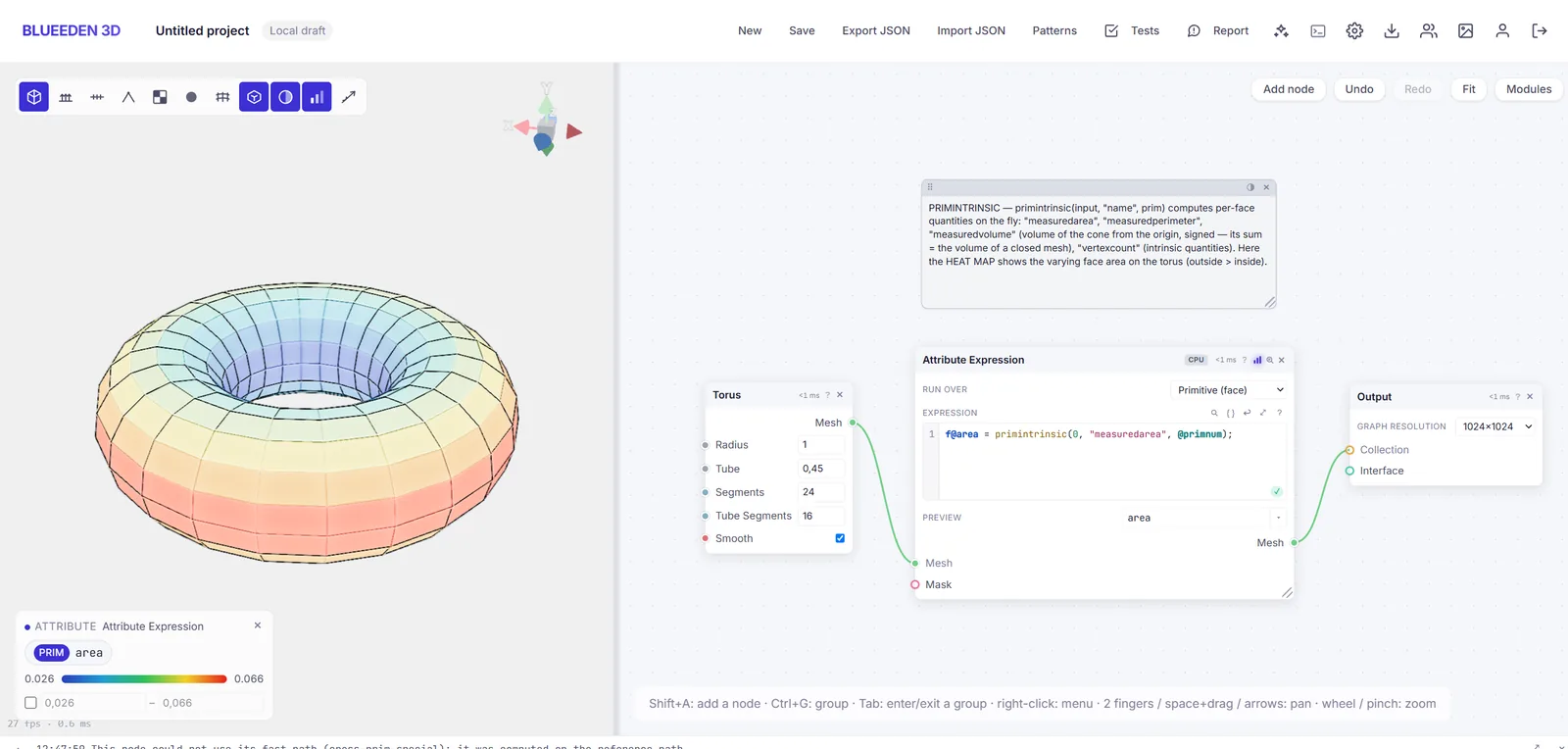
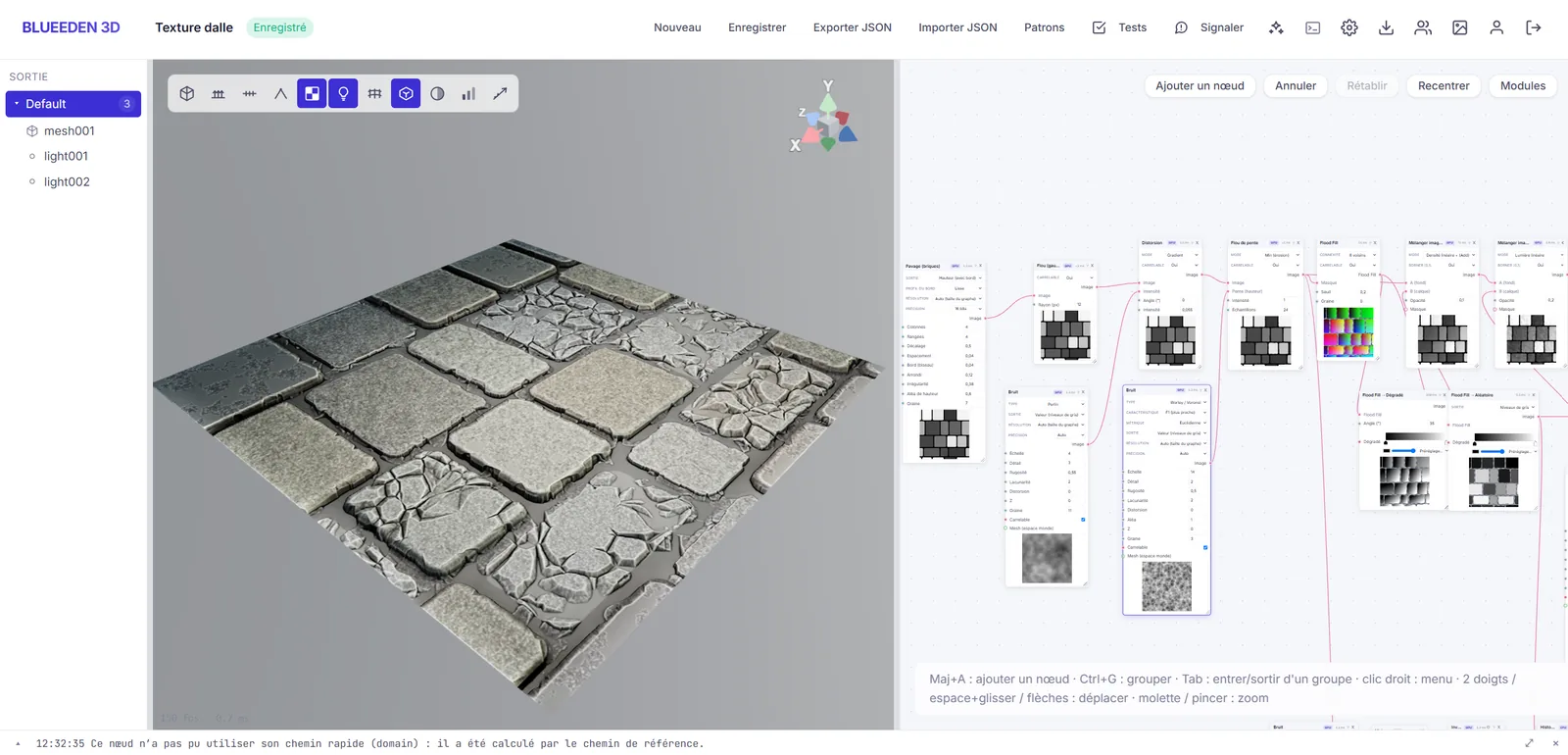
70+ image nodes computed on the GPU: noises, tiling, wear, flood fill, curvature. Textures tile by construction, and mesh-to-texture bakes (AO, thickness, normals) come out of the same graph as the geometry.
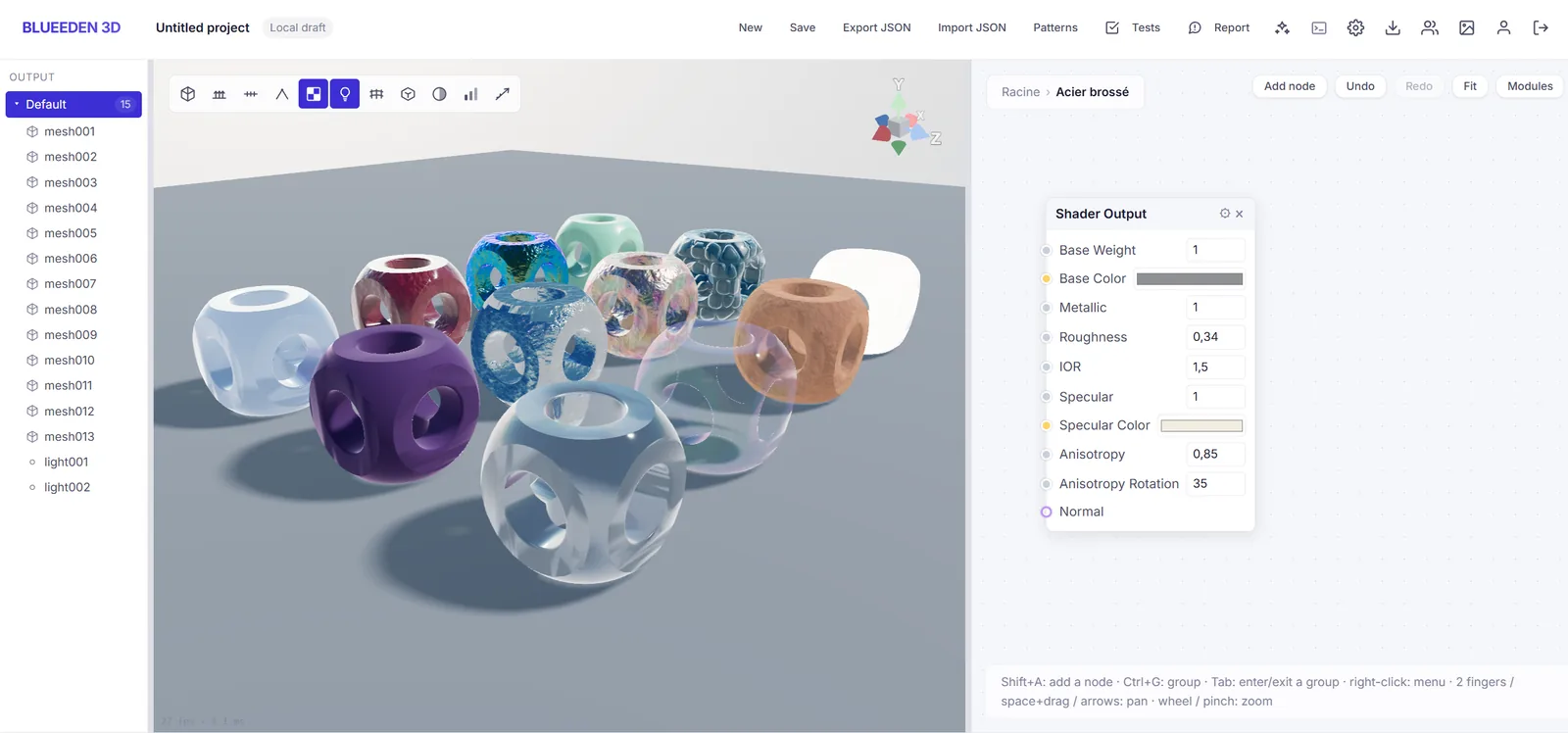
The shading graph exposes the channels you'd expect from a current engine: clearcoat, iridescence, anisotropy, transmission, sheen, subsurface. And the viewport actually renders them, soft shadows and procedural sky included.
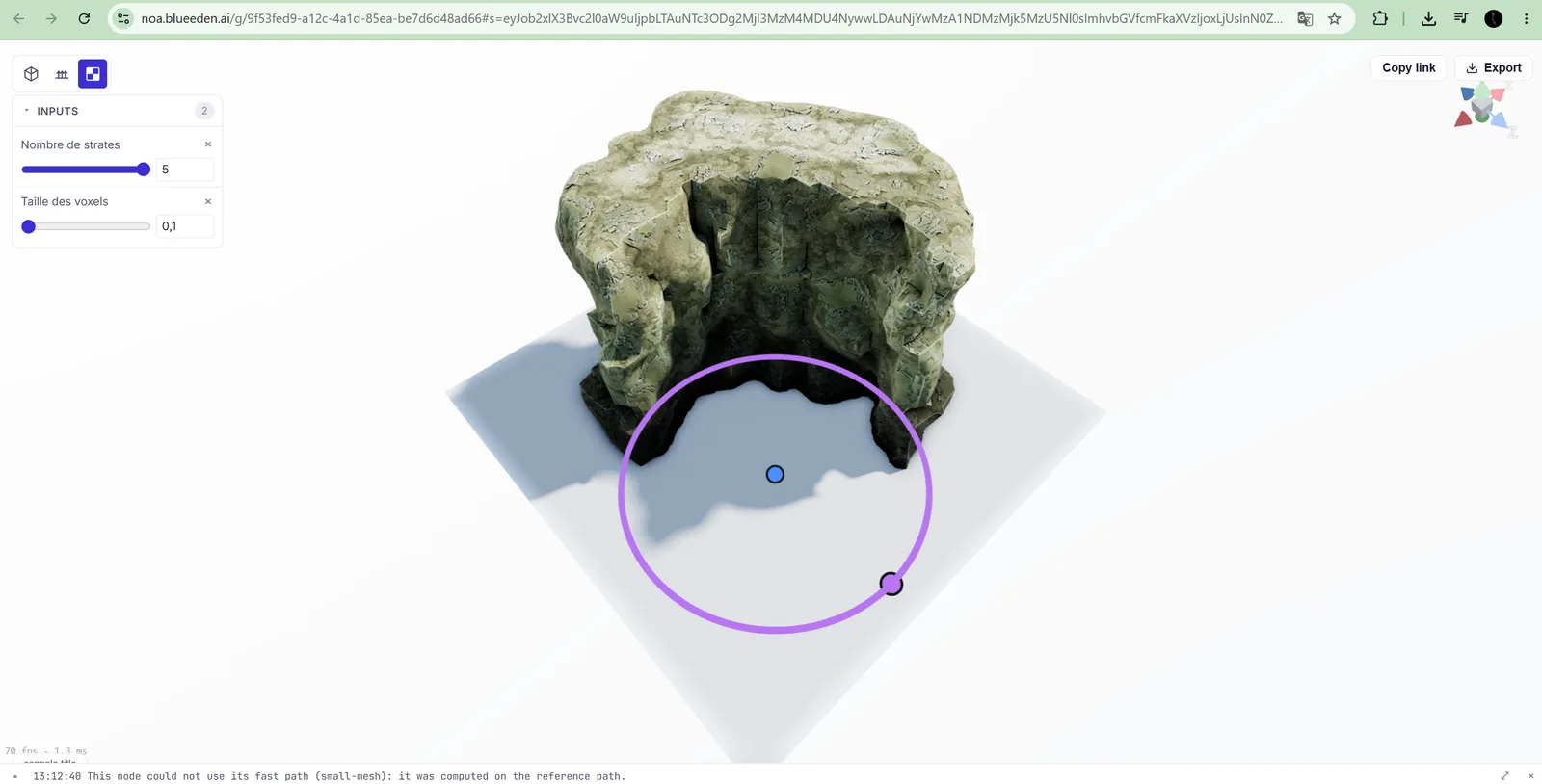
Put sliders and 3D handles on any graph, then share the link. Whoever opens it can play with the asset in their browser and export the result; they don't even need an account.
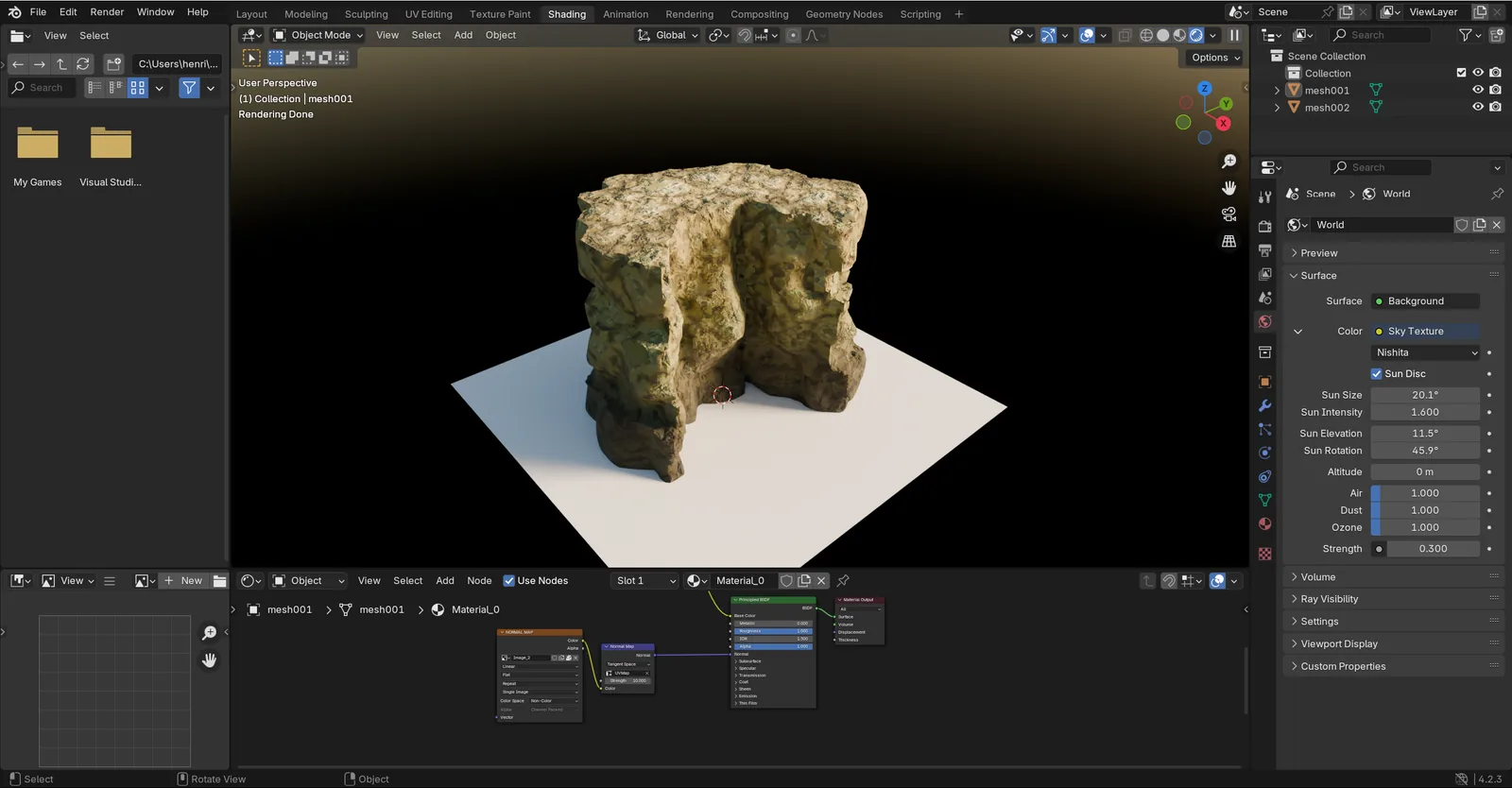
Import glTF, OBJ, PLY or STL; export to glTF/GLB or USD with materials, instances, lights and cameras. The capture here is a rock generated in noa, reopened untouched in Blender.
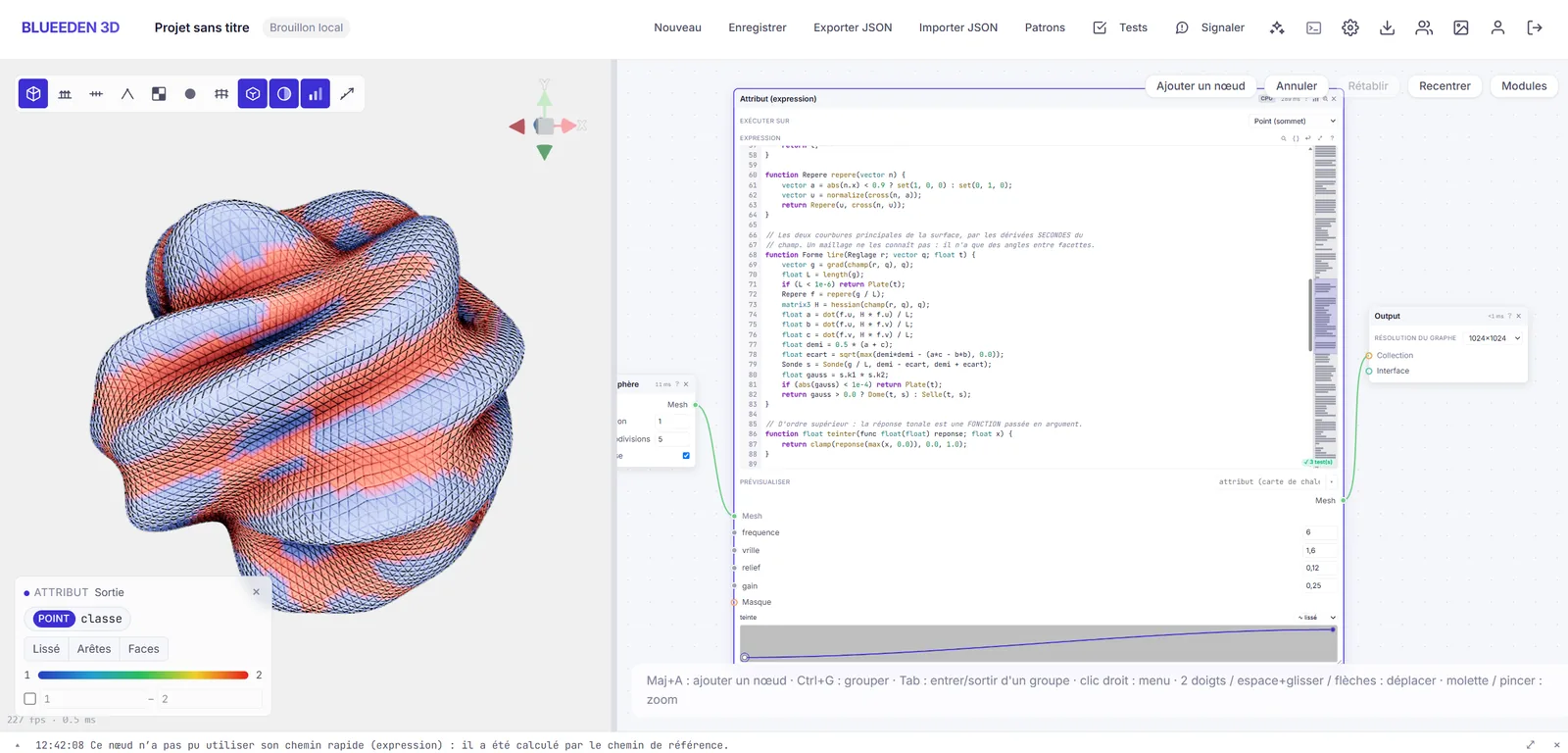
A real per-element language: loops, functions, arrays, dictionaries, strings, neighbor lookups, shortest paths. Attributes read the way you're used to (@P, @N, pscale, orient). Whatever lowers to WGSL runs on the GPU; the rest runs on the reference CPU path.
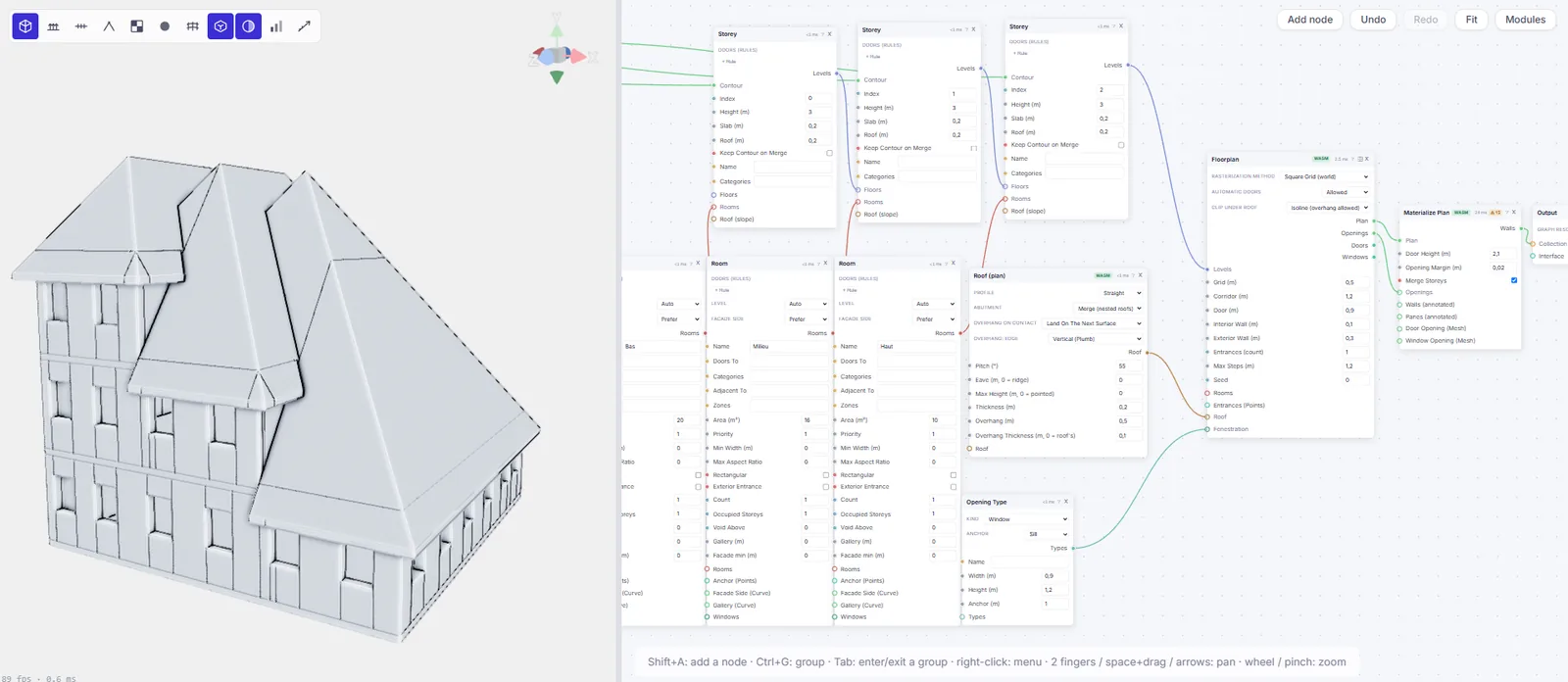
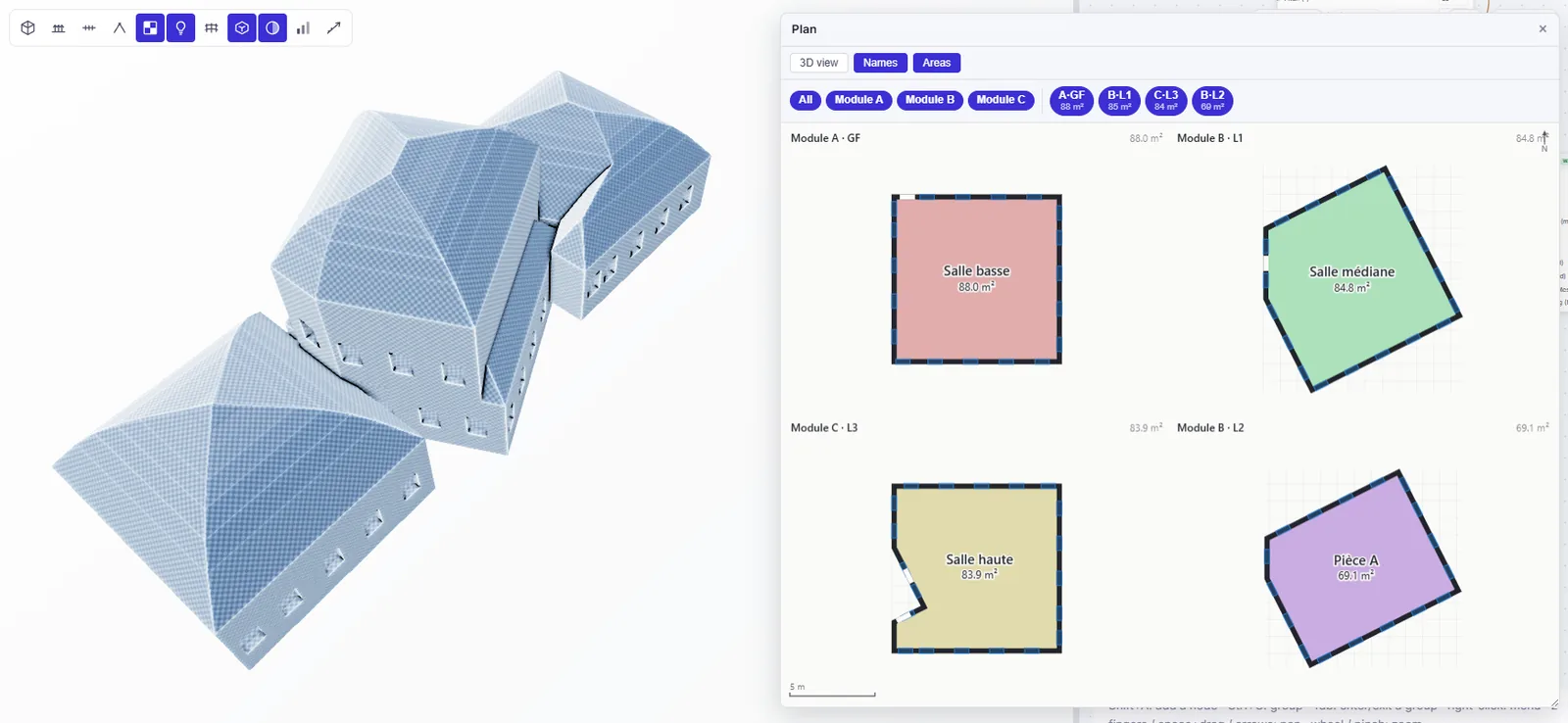
Describe the program in the graph: storey contours, rooms with target areas and adjacencies, opening types, roof pitches. The solver lays out rooms, corridors, doors and windows, then builds watertight walls; annotated plans come out next to the 3D volume.
The core is written in Rust and compiled to WebAssembly; images, volumes and expressions run as WebGPU compute. Booleans sit on the Manifold kernel. The same scene comes out bit-identical in the browser and in the native library (that's tested continuously), and the node timings you can read in the captures are actual measurements.
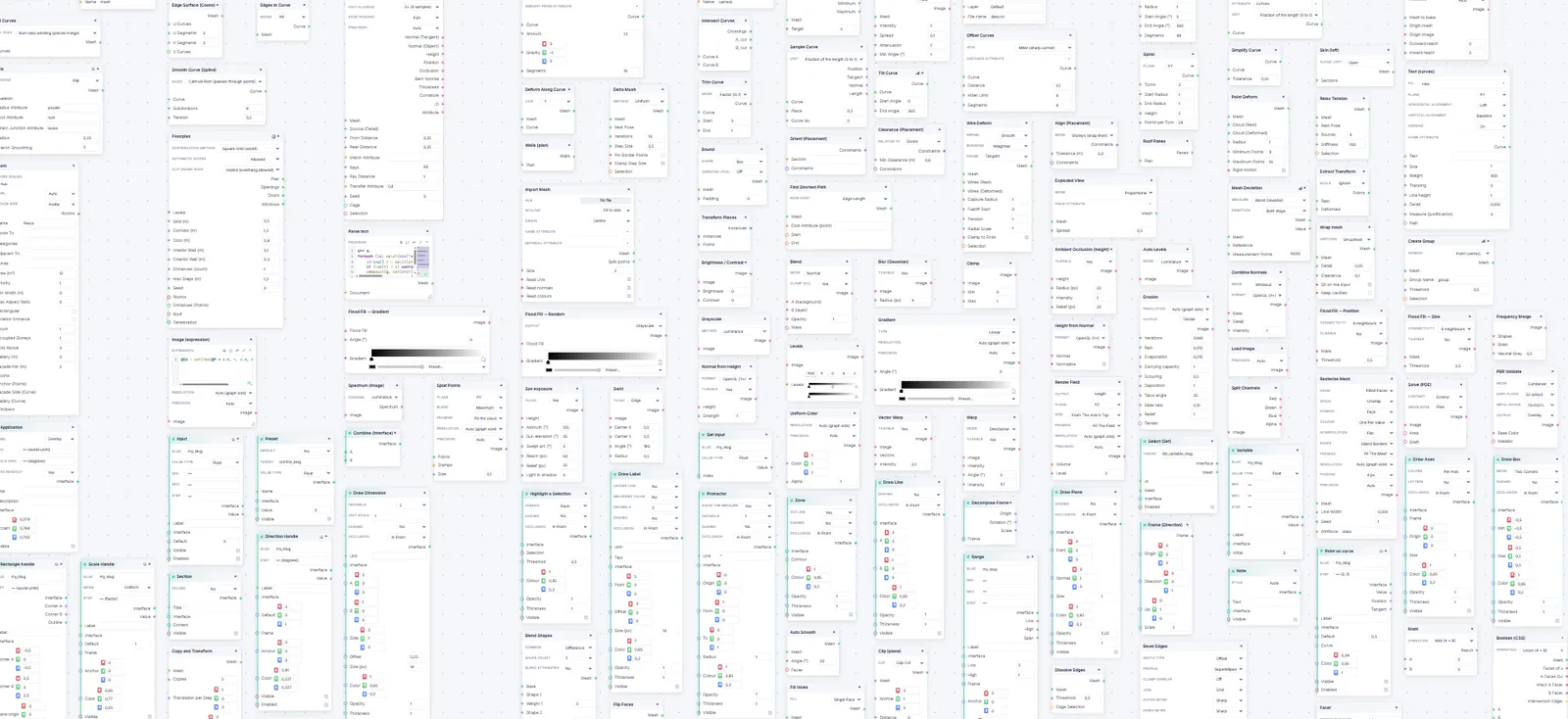
Geometry, curves, volumes, points, image, shading, text, interface, export… Every card behind this heading is a shipped node.
Recently shipped: Graph coloring · Geodesic distance · Panelize · FFT & spectral filtering · Cameras in the graph
This rock generator is a noa graph published as a shared link. Two sliders, one handle that moves the cavity, and the mesh rebuilds while you drag. Try it yourself, no account needed.
You need a browser with WebGPU; recent versions of the major browsers have it.
One well-built graph is a whole family of assets. Tweak the parameters, pull ten variations, export them cleanly into your scene.
The wrangle, per-domain attributes, loops and subgraphs combine into tools a whole team can reuse. You write the procedure once; everyone else turns the knobs.
A configurator published as a link replaces the file ping-pong: clients adjust the asset themselves, in their browser, and there's no license to pay for.
Yes, entirely. Paid plans come later and aren't settled yet; testers hear about any change first.
Yes. Your graphs are visible to you alone; nothing goes public without a share link you create yourself.
Any time: glTF/GLB and USD export, with materials, instances, lights and cameras. Files you import stay yours.
A browser with WebGPU, nothing to install. Recent Chrome, Edge, Firefox and Safari all ship it enabled; the line under the demo tells you whether yours is ready.
A decent GPU helps, since this is real compute. The scenes on this page run fine on a recent laptop, and shared graphs open even on phones (tested on an old Pixel 4).
The first invites go out, picked by profile relevance. Later waves work the same way; requests stay open.
The first wave is deliberately small: hand-picked profiles who really make 3D and will tell us what's broken. Introduce yourself in two lines (who you are, what you make); invites go out by relevance, not by arrival order.
First wave opens in
The beta is open. Invites go out in waves.
Three fields, thirty seconds. The first invites go out September 12.
Your request is in the pile for the first wave. Invites go out by email starting September 12; if your profile makes the cut, yours will be among them. Nothing else to do until then.